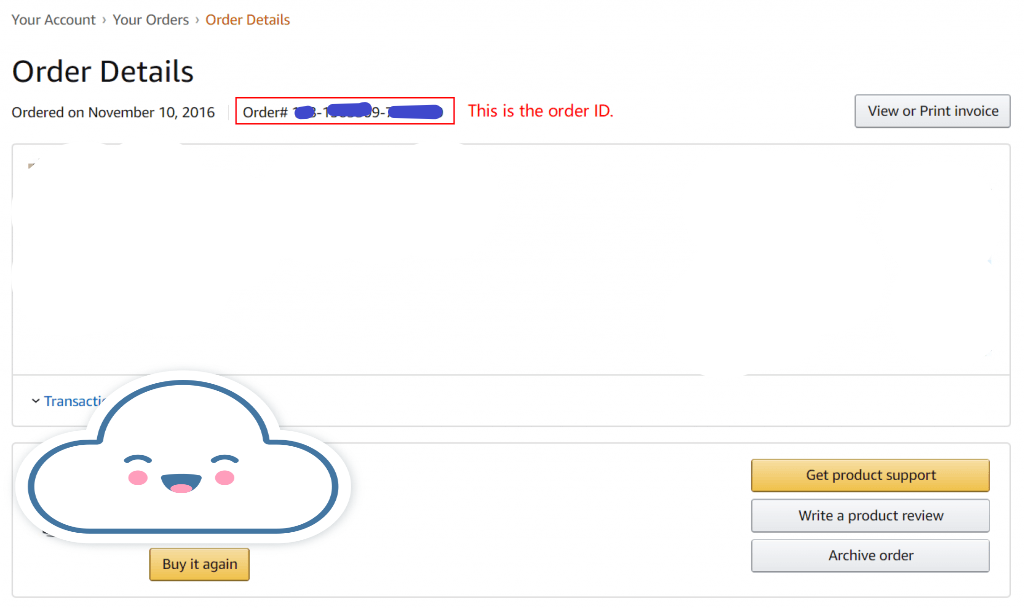
How to Find Your Amazon Order ID?
Step 1: Open the Amazon app, tap the "User" icon at the bottom, and select "Your Orders".
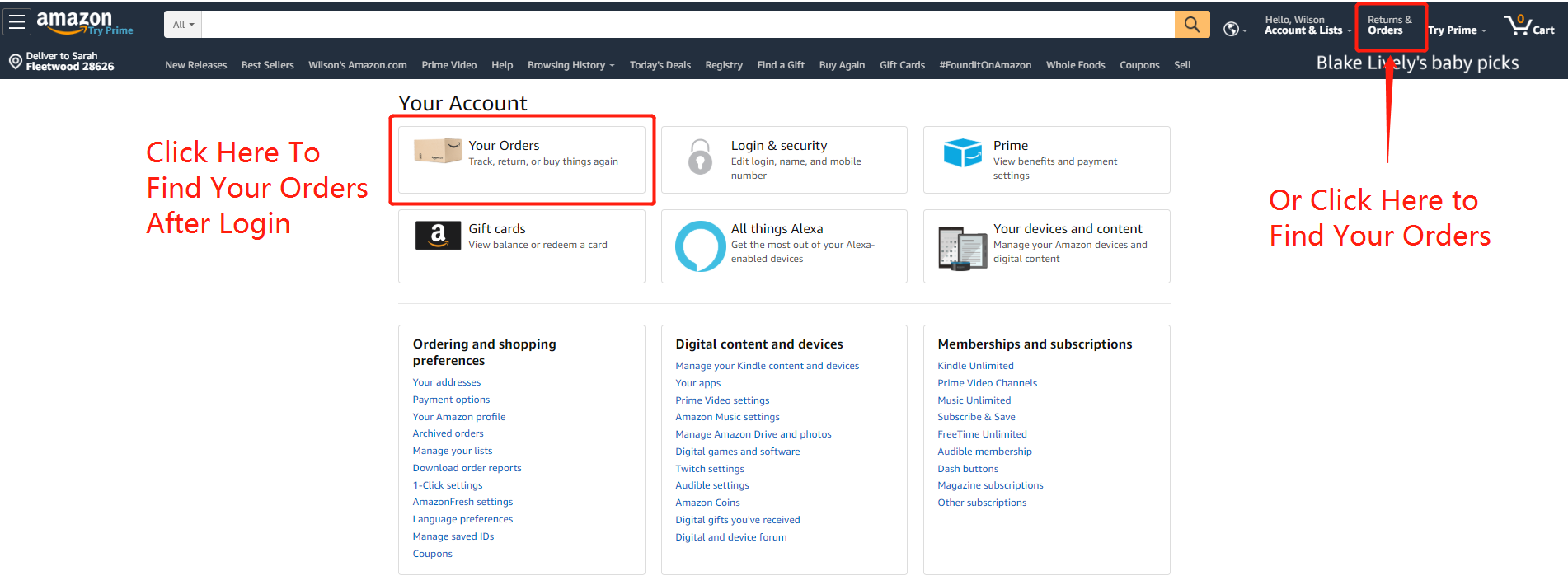
Step 2: Locate and tap the specific order you are looking for.
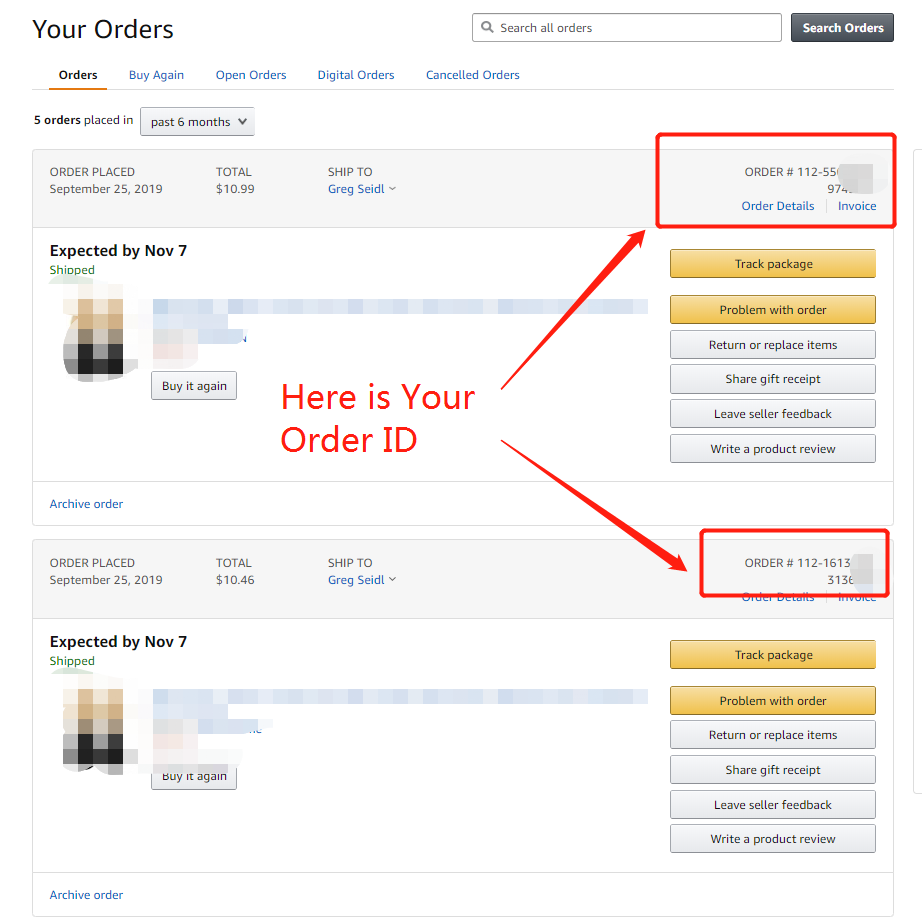
Step 3: Tap on "View order details". You will find your 17-digit Order ID displayed at the top.